In the previous article, we visited and implemented a few chunking strategies most used in the industry. Now, I will explain the different alternatives we have to generate high-quality embeddings.
What are Embeddings?
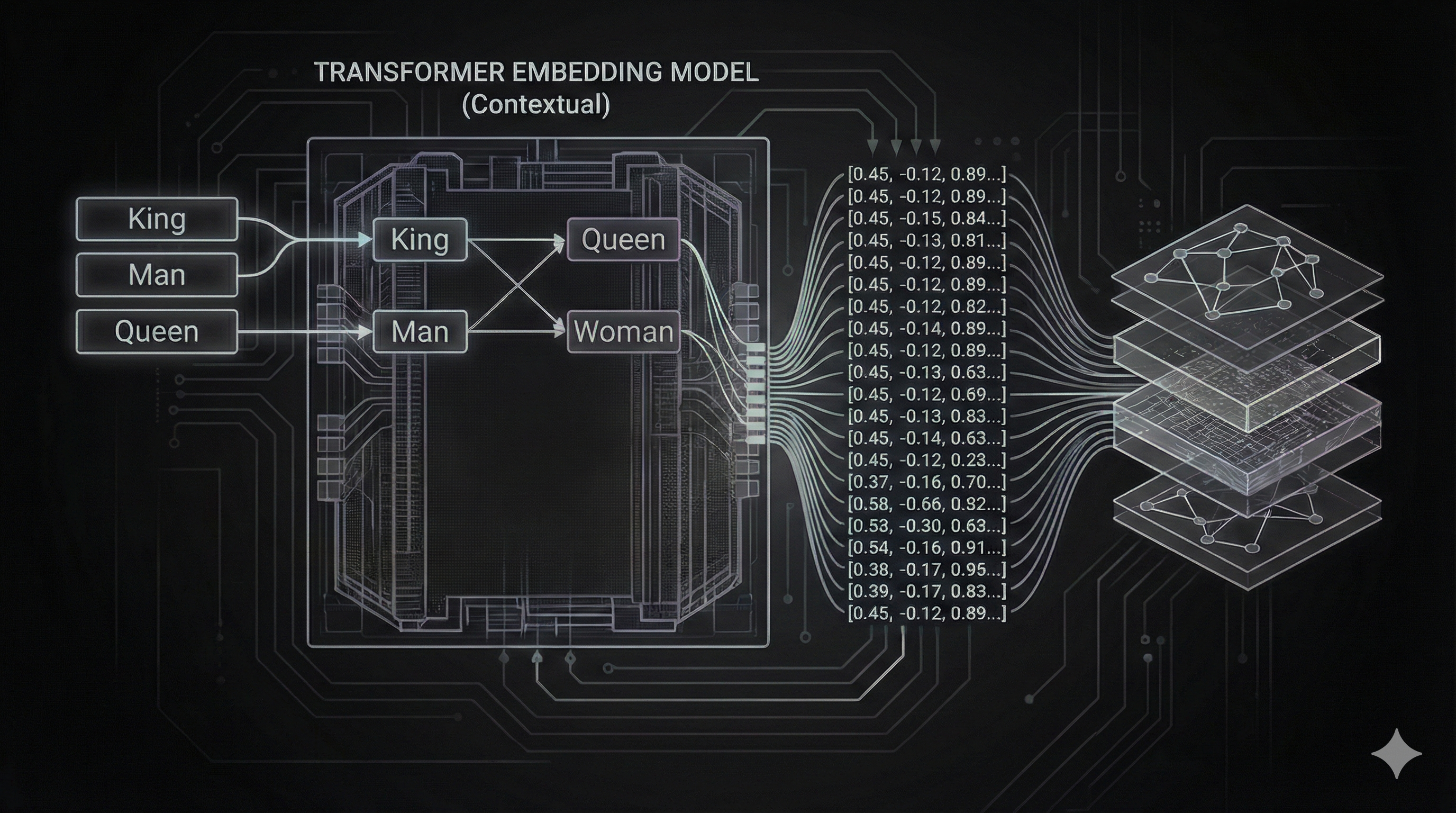
Embeddings are the translation layer between human language and machine logic. They convert text, images, or audio into fixed-size lists of numbers (vectors) that capture semantic meaning. By mapping data into a multi-dimensional space, machines can determine how “close” or related two pieces of information are with high mathematical accuracy.
A better way to visualize it is through a library analogy: Embeddings are the folders/containers.
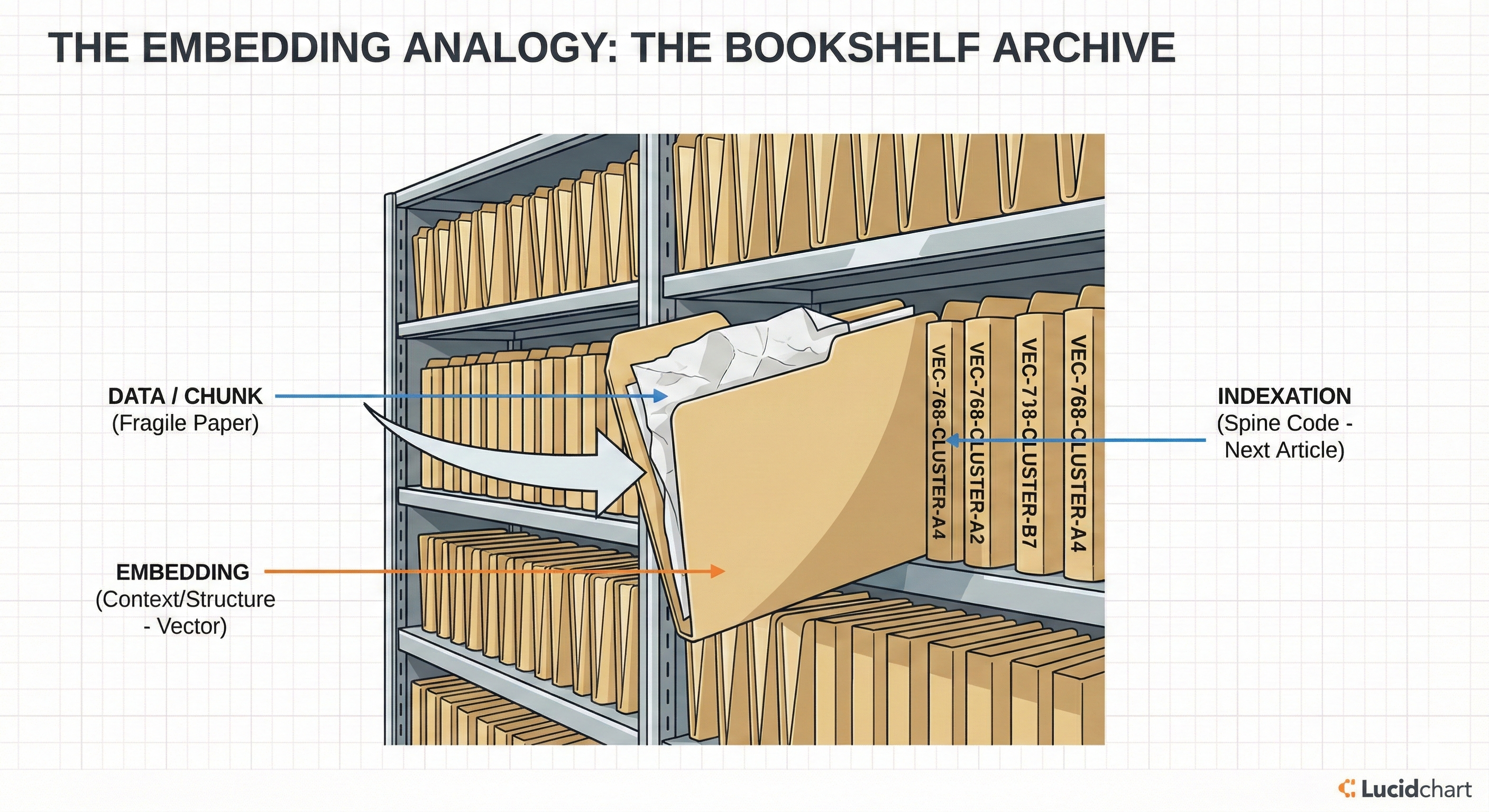
Why? Because a folder stores a simple paper (the data/chunk). The paper itself is fragile and can be degraded or lost without a container. The folder provides structure, context, and a standard format (the numbers/vector). The alphanumeric code on the folder spine? That’s the indexation (like a graph or inverted index), which I will cover in the next article. This distinction is subtle but crucial for understanding how vector stores retrieval actually works.
Are Embeddings a New Field?
The concept isn’t new. Similar to the library example, classical computer science has long used “embeddings” in different forms:
- Binary representation of data is a low-level embedding.
- In networking (OSI Layer 7), an HTTP packet is effectively a structured embedding of data.
However, in modern GenAI, embeddings have become the cornerstone of intelligence. Depending on the problem you need to solve, the choice of embedding model is often the main differentiator between a generic agent and a high-accuracy expert system.
State of the Art
Currently, there are two primary ways to generate embeddings:
- Via API (SaaS): Using online services like OpenAI, Cohere, or Anthropic.
- Via Local Models (Open Weight): Using pre-trained models from HuggingFace, running locally or on your own infrastructure.
Which one to choose?
In this series, we will focus on local models. I believe this is the best architectural approach for most backend scenarios because:
- Performance: Zero network latency for embedding generation once loaded.
- Privacy: Data never leaves your infrastructure.
- Quality: As seen on the MTEB Leaderboard, open-weight models often compete with or outperform closed models.
GenAI is now fully democratized. We are free to use a plethora of models to generate embeddings and different frameworks to chunk data, just as we did in the previous article. My focus will be on HuggingFace and SentenceTransformers as they are the industry standard for Python-based backends.
Selecting the Right Embedding Strategy
Before we jump into the code, we need to decide how we represent our data. Not all embeddings are created equal. The Hugging Face MTEB Leaderboard tracks the state-of-the-art models, but generally, they fall into three architectural categories:
1. Dense Embeddings (The “Vanilla” Standard)
This is what most people mean by “embeddings.” You squash a chunk of text into a single, fixed-size vector (e.g., 384 dimensions).
- Pros: Fast, standard, widely compatible with all vector databases.
- Cons: Can lose nuance by compressing too much info into one vector.
- Use Case: General purpose RAG, semantic search.
- Resource: Sentence-BERT: Sentence Embeddings using Siamese BERT-Networks.
2. Matryoshka Embeddings (The “Flexible” Specialist)
A newer technique (used by models like Google’s Gemma or OpenAI text-embedding-3). These vectors can be “sliced” to different sizes (e.g., use only the first 256 dimensions) and still work.
- Pros: Massive storage savings (4x-8x). You can sort 1 billion items using the short version and rerank the top 100 using the full version.
- Cons: Slightly more complex to manage implementation-wise.
- Use Case: Large scale retrieval, mobile/edge devices.
- Resource: Matryoshka Representation Learning (NeurIPS 2022).
3. Late Interaction / ColBERT (The “Accuracy” Heavyweight)
Instead of one vector per chunk, you keep one vector per token (word). When comparing two texts, every word compares itself to every other word.
- Pros: Extremely high accuracy. No “compression loss.” It doesn’t hallucinate connections as easily.
- Cons: Heavy. 100x more storage and slower search.
- Use Case: High-stakes domains (Legal, Medical) where missing a detail is unacceptable.
- Resource: ColBERT: Efficient and Effective Passage Search via Contextualized Late Interaction over BERT (SIGIR 2020).
Implementing embeddings using SentenceTransformers
To implement this in our backend, we will follow a similar pattern to our Chunking strategy: defining an Interface, implementing Vendors, and exposing them via a Controller.
1. The Model Enum
We decouple the API identifiers from the actual model IDs using a mapping.
from enum import StrEnum
class Embedding(StrEnum): VANILLA = "vanilla" GEMMA = "gemma" COLBERT = "colbert"
EMBEDDING_MODEL_MAP = { Embedding.VANILLA: "all-MiniLM-L6-v2", Embedding.GEMMA: "google/embeddinggemma-300m", Embedding.COLBERT: "colbert-ir/colbertv2.0"}2. The Vendor Interface
Lets define a contract that all embedding vendors must follow. Note that we return list[Any] because ColBERT returns a complex multi-vector structure (List of Lists of Lists), while others return a simple List of Lists.
from abc import ABC, abstractmethodfrom typing import Anyfrom sentence_transformers import SentenceTransformerfrom src.core.configuration.configuration import config
class IEmbeddingVendor(ABC):
@abstractmethod def generate(self, chunks: list[str]) -> list[Any]: pass
def create_model(self, model_id: str, **kwargs) -> SentenceTransformer: token = config.get("HF_TOKEN") return SentenceTransformer(model_id, token=token, **kwargs)3. Concrete Vendors
Vanilla Vendor: Uses a standard lightweight model like all-MiniLM-L6-v2.
from typing import Anyfrom src.core.features.embedding.embedding_vendors.i_embedding_vendor import IEmbeddingVendorfrom src.core.features.embedding.embedding_models import Embedding, EMBEDDING_MODEL_MAP
class VanillaEmbeddingVendor(IEmbeddingVendor):
def __init__(self): self.model = None
def generate(self, chunks: list[str]) -> list[Any]: if not self.model: self.model = self.create_model(EMBEDDING_MODEL_MAP[Embedding.VANILLA])
embeddings = self.model.encode(chunks) return embeddings.tolist()Gemma Matryoshka Vendor: Uses Google’s Gemma model google/embeddinggemma-300m.
from typing import Anyfrom src.core.features.embedding.embedding_vendors.i_embedding_vendor import IEmbeddingVendorfrom src.core.features.embedding.embedding_models import Embedding, EMBEDDING_MODEL_MAP
class GemmaEmbeddingVendor(IEmbeddingVendor):
def __init__(self): self.model = None
def generate(self, chunks: list[str]) -> list[Any]: if not self.model: self.model = self.create_model( EMBEDDING_MODEL_MAP[Embedding.GEMMA], trust_remote_code=True )
embeddings = self.model.encode(chunks) return embeddings.tolist()ColBERT (Late Interaction) Vendor: To simulate the ColBERT architecture of “one vector per token” using standard transformers, we extract the token embeddings directly.
from typing import Anyfrom src.core.features.embedding.embedding_vendors.i_embedding_vendor import IEmbeddingVendorfrom src.core.features.embedding.embedding_models import Embedding, EMBEDDING_MODEL_MAP
class ColbertEmbeddingVendor(IEmbeddingVendor):
def __init__(self): self.model = None
def generate(self, chunks: list[str]) -> list[Any]: if not self.model: self.model = self.create_model(EMBEDDING_MODEL_MAP[Embedding.COLBERT])
features = self.model.tokenize(chunks) features = {k: v.to(self.model.device) for k, v in features.items()}
out = self.model.forward(features) token_embeddings = out['token_embeddings'] return token_embeddings.tolist()4. The Rest API Controller
Finally, we expose this via a REST endpoint.
from typing import Anyfrom fastapi import APIRouter, Pathfrom pydantic import BaseModelfrom src.core.container.container import containerfrom src.core.features.embedding.embedding_controller import EmbeddingControllerfrom src.core.features.embedding.embedding_models import Embedding
# ... request/response models ...
class EmbeddingRestController: def __init__(self): self.embedding_controller: EmbeddingController = container.embedding_controller() self.router = APIRouter(prefix="/embedding", tags=["embedding"]) self._setup_routes()
def _setup_routes(self): self.router.add_api_route( "/{model_id}/generate", self.generate_embeddings, methods=["POST"], response_model=EmbeddingResponse )
async def generate_embeddings( self, request: EmbeddingRequest, model_id: Embedding = Path(..., description="Embedding model to use") ) -> EmbeddingResponse: result = self.embedding_controller.generate_embeddings(model_id, request.chunks) return EmbeddingResponse(**result)
embedding_rest_controller = EmbeddingRestController()router = embedding_rest_controller.routerTesting embedding techniques
To test our new embedding capabilities, we will follow the same approach used in the previous article:
- Upload a File: Use the file upload endpoint (implemented previously) to upload a document to the backend.
- Chunk the File: Call the chunking endpoint to break the document into text segments.
- Copy chunks: Copy a few chunks from the response.
- Generate Embeddings: Copy the resulting list of chunks.
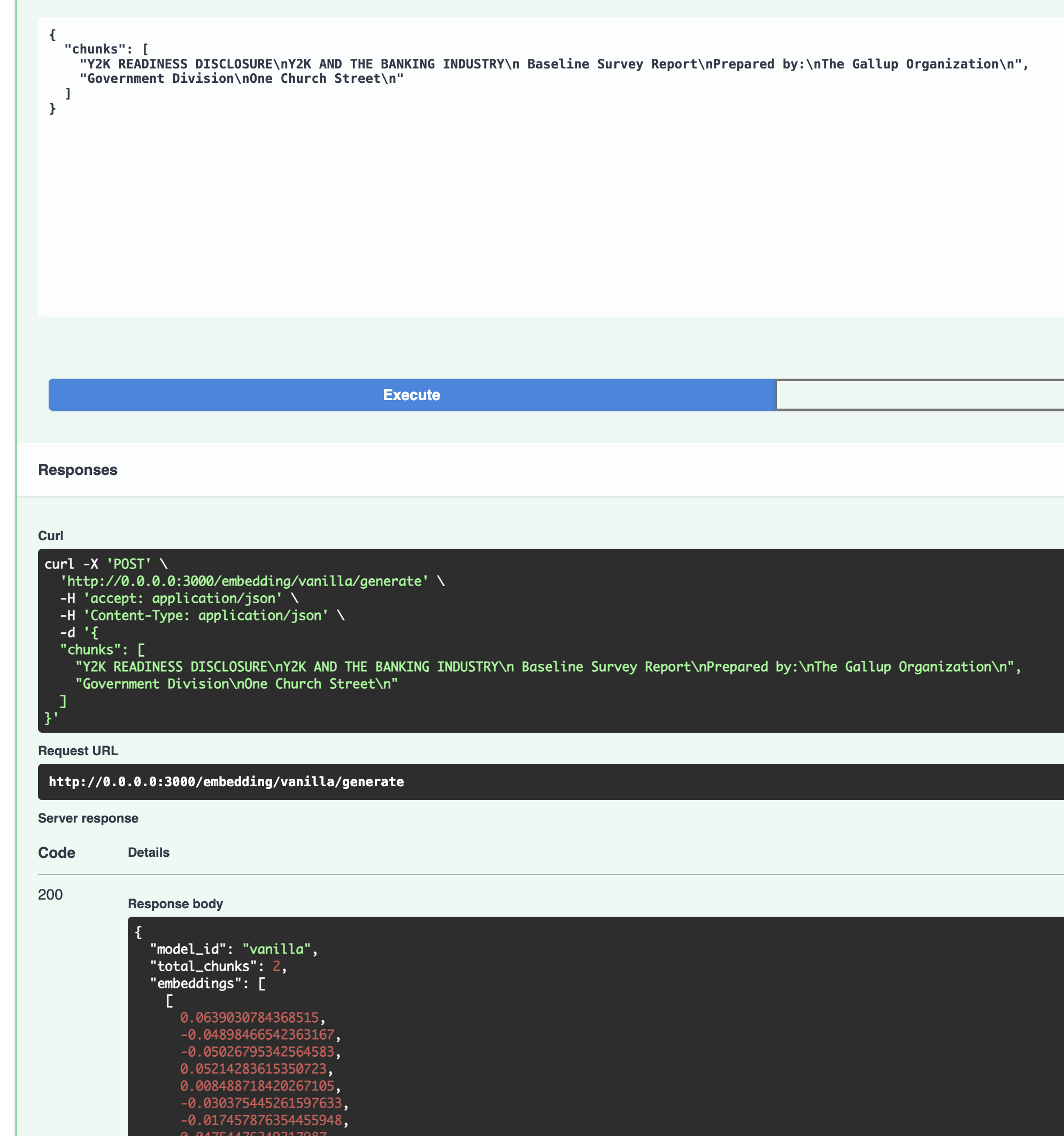
- Call Method: Select the desired strategy (
VANILLA,GEMMA,COLBERT) from the new dropdown parameter in the endpoint URL (/embedding/{model_id}/generate) and paste the chunks into the body.
VANILLA
GEMMA
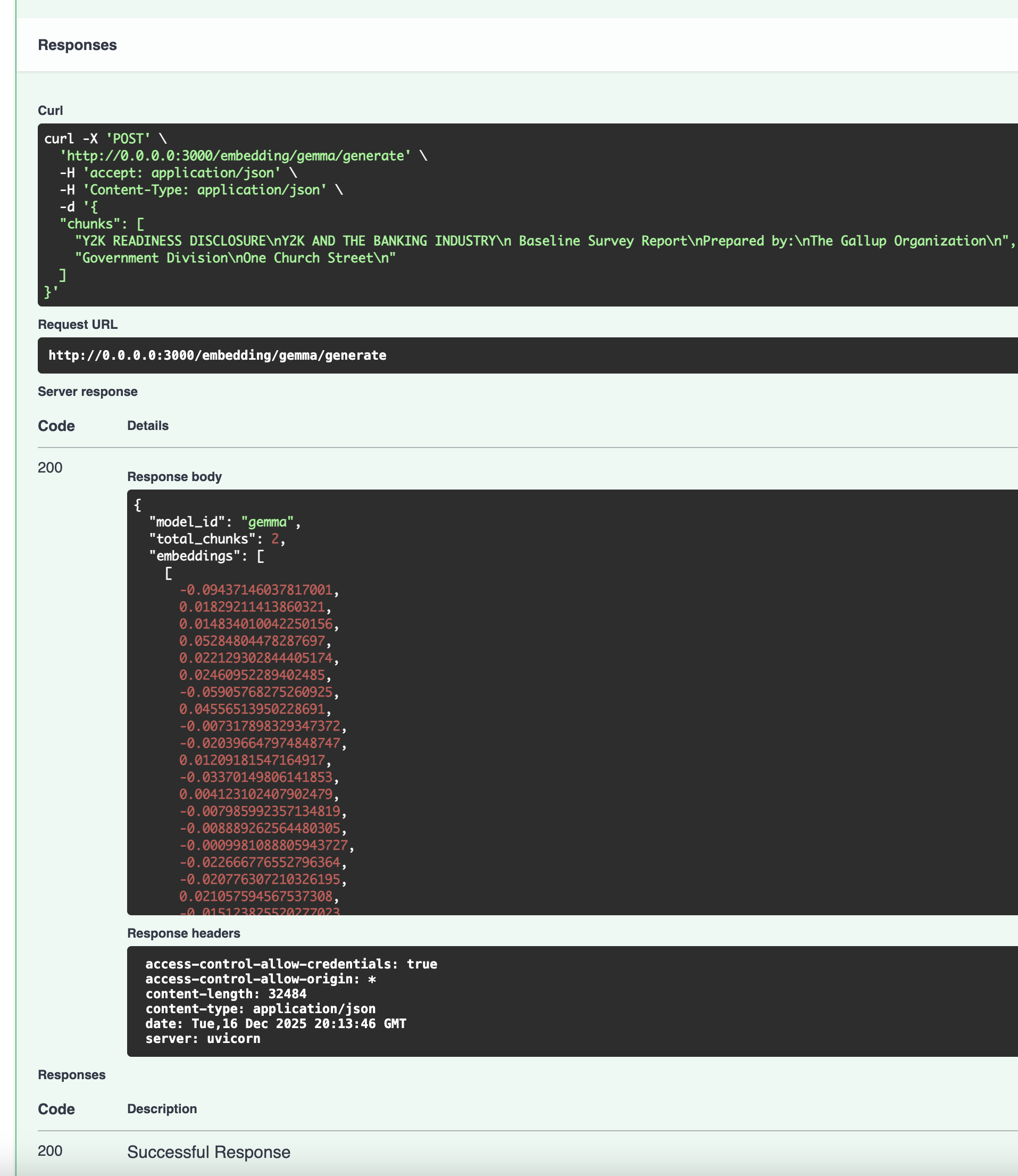
COLBERT
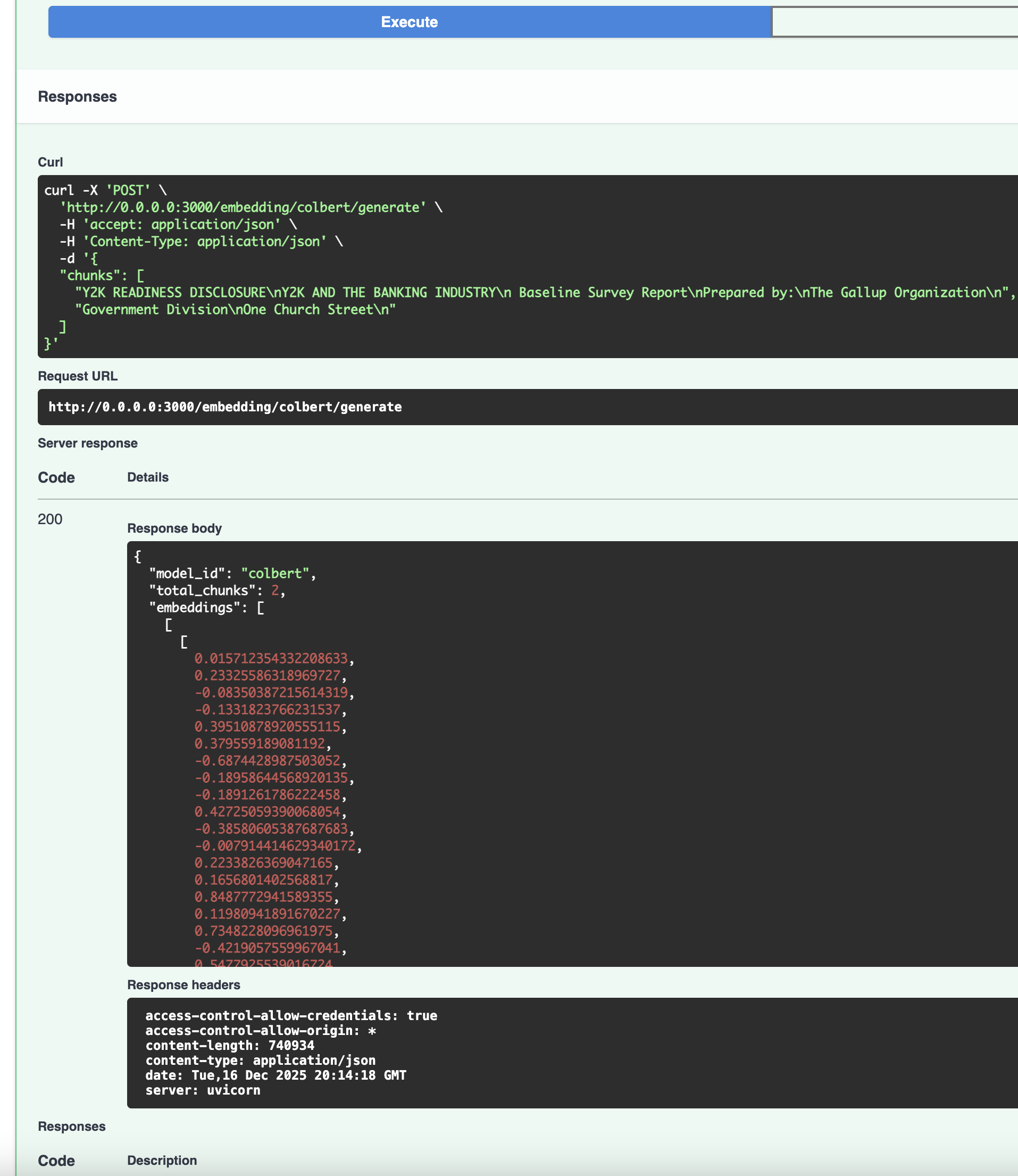
The response will return the vector embeddings generated by that specific model architecture.
Note: For demonstration purposes, the endpoint returns only the first 10 vectors to handle large payloads efficiently in this learning context.
Production Readiness & Configuration
To ensure our application is production-ready and doesn’t suffer from cold-start latencies, we implemented two key improvements:
1. HuggingFace Token (HF_TOKEN)
Some models, like Gemma, are gated and require acceptance of terms of service, go to Google Consent, get logged in huggingface, accept the terms of service.
- Generate Token: Go to your Hugging Face Settings and create a
READtoken. - Configure: Add it to your
.envfile asHF_TOKEN.
Our IEmbeddingVendor and scripts read this token from our central configuration to authenticate requests.
2. Model Preloading
Downloading large models (GBs) during the first API request leads to timeouts and poor user experience. To solve this, I created a preload.py script that “warms up” the local cache during the build or startup phase.
# simplified snippetdef preload(): token = config.get("HF_TOKEN") for key, model_id in EMBEDDING_MODEL_MAP.items(): # ... logic to download model to cache ... SentenceTransformer(model_id, token=token)I integrated this into our Makefile so make dev automatically ensures models are ready before the server starts. When you run make dev, the script will download the models and cache them locally and you can see a log info like this:
uv run python src/scripts/preload.pyDownloading vanilla: all-MiniLM-L6-v2...all-MiniLM-L6-v2 cached successfully.Downloading gemma: google/embeddinggemma-300m...google/embeddinggemma-300m cached successfully.Downloading colbert: colbert-ir/colbertv2.0... - Initializing as explicit Transformer module...colbert-ir/colbertv2.0 cached successfully.All models preloaded!uv run python src/apps/rest_api/main.pyRepository code
You can find the code in the repository.
Conclusion
As mentioned, the tradeoff of each model gives the model card and which uses cases can afford.
- Vanilla models are fast and lightweight, widely compatible.
- Matryoshka models gives us flexibility for storage.
- ColBERT gives us maximum accuracy at the cost of storage.
To build a truly production-grade retrieval system, we need a way to navigate this space instantly. In the next article, we will dive into Indexation—the equivalent of the library’s catalog system (HNSW graphs, inverted indexes)—to turn our semantic understanding into sub-millisecond search at scale.