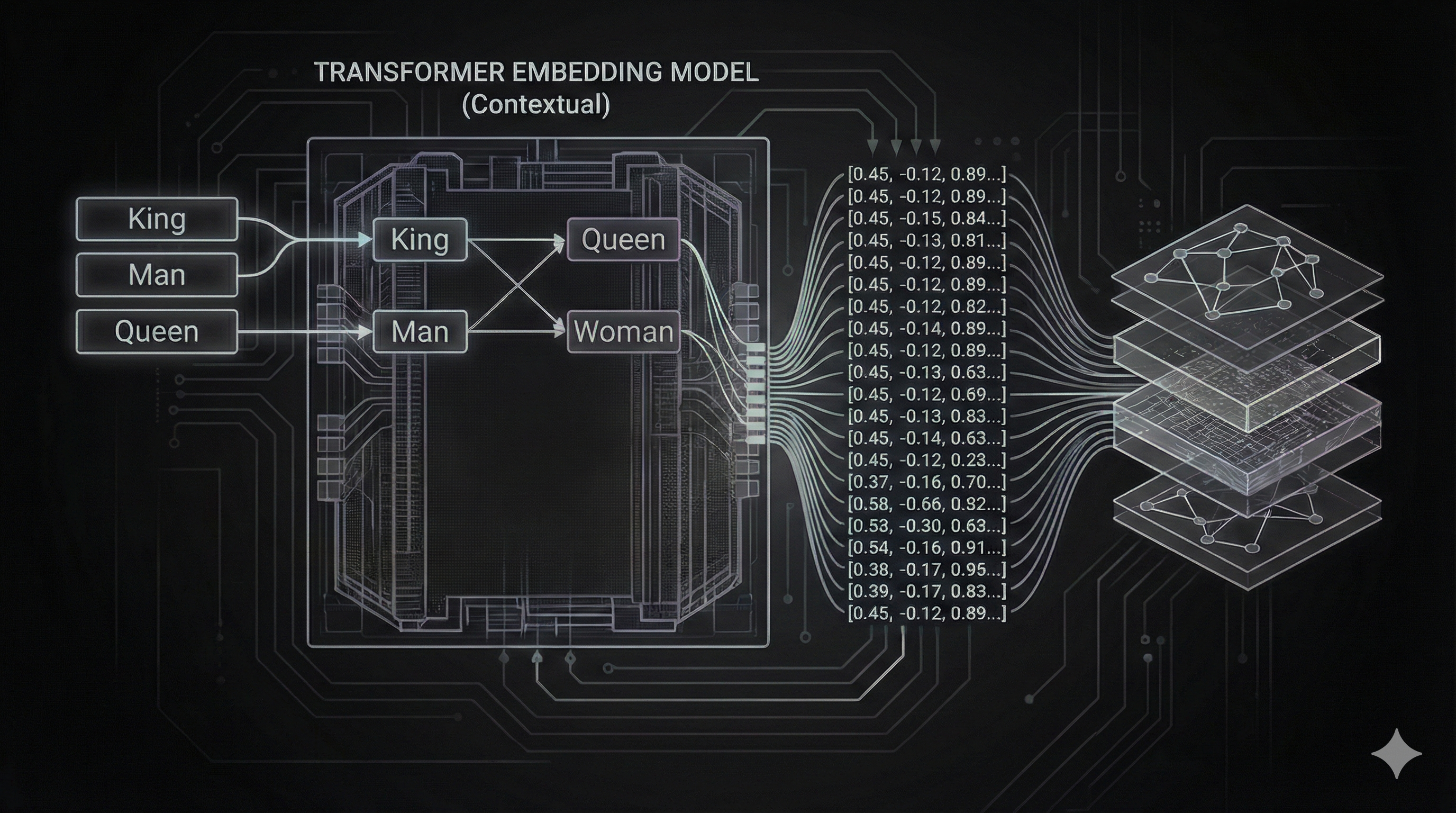

The modern gen ai brings to the table old concept and technologies methods that has become relevant in the last 5 years. Chunking, embeddings are old fashioning concepts attached by Cognitive Psychology at 1970 explaining the human memory requires to have chunks and piece of information very relevant to have a good understanding. using in tech for Chunking_(computing) but being honest is very related to divided and conquer approach. that serves to solve different problems about and nowadays are super relevant to context engineering field where data and great quality content is the king now.
Why is relevant?
Thanks to the advancement of LLM field the quality of data and context accuracy are more important in these days, a good chunking strategy can determinate that one agent can stay engage with a potential client and he/she can concrete a lead sell, a doctor understand an anomalies to detect early diseases and more.
As we see in the history of chunking, the human memory requires to segment the information into pieces to be processed in a good way, that happens with the llm, if you give piece of information that is not relevant or does not have quality, the llm start allucinatung and give wrong and innacurate information.
Then having the chunks well separated, we need to store them in a place where we can retrieve with high accuracy and speed was then the indexing methods and vector databases comes to play giving the pass to a new field Context Engineering.
Context Engineering in a nutshell
Context engineering borns around the necessity to have quality and specialized data for each organization and company, now exist a plethora of models trained with the public data so the companies need to adapt these agents and tools to obey them and produce helpful outputs. Context Engineering is still a emerging field, in this series I will try to cover all aspect of the data from a Engineering and backend perspective, using real examples, applying design, best practices and more.
Things to consider for split or chunk a piece of data
Before deep dive into chunking strategies we need to understand the the nature of the data and the previous steps that we need to do before chunking:
- Structure of the information: depending of the nature of the data you are trying to split or cut elegantly, is the strategy that you can apply for that specific type of data.
- Housekeeping work: this is very related with previous item, maybe you need to parse a pdf, excel table, webpage HTML data into a manageable text.
- Choose the best chunking strategy in terms of needs, avoid overengineering and continuously improving by experimenting the best strategy.
- Incorporate validation strategies to see the quality of the chunks and the retrieval using a xUnit testing framework like but for LLMs.
Chunking strategies
At the time of writing, exists different types of strategies, the most common are:
- Chunking by size: consist in split the text or document into chunks of a certain size.
- By size and overlapping: use a split size but with a overlapping to avoid information loss.
- By separator character recursively: create a graph by spliting the text using specific separator character, can be new line or space.
- Semantic: Semantic chunking use small models (or transformers) to split the text into chunks based on semantic similarity, math calculations and others.
- Contextual chunking with LLM: use a LLM to split the text into chunks based on contextual similarity, this is the most complex strategy but also the most powerful.
What choose?
There is not silver bullets, GenAI is a constantly experimentation field and we need to try many things we need to get good results, what you mean by good results? Later in the example project we can evaluate what is the best strategy based in data and results not in the guts.
Project to build
We are create a repo with all good practices in terms of collaboration and avoid the Jupyter notebooks since the real world is being collaborative and exist a plethora of tools to collaborate but as we now I Will try to keep everything simple as posible. I will use the approach I explained in the Adaptable Python Backend series to create a RESTAPI using enterprise best practices. I will adapt the boilerplate in this new repo genAI-series-an-unbiased-backend-point-of-view instead creating notes CRUD, I will create real endpoints and processing suitable for the Software Engineering of today.
Following the didactical approach the project will consist in process and retrieve insights from Y2K reports and impacts in the banking sector. This document is complex itself, has images, charts, pies and reference information that can be challenging to extract and validate information to create our knowledge base suitable for Retrieval Augmented Generation.
let’s define the RESTAPI
To interact with our project we are using a RESTAPI to start interactions:
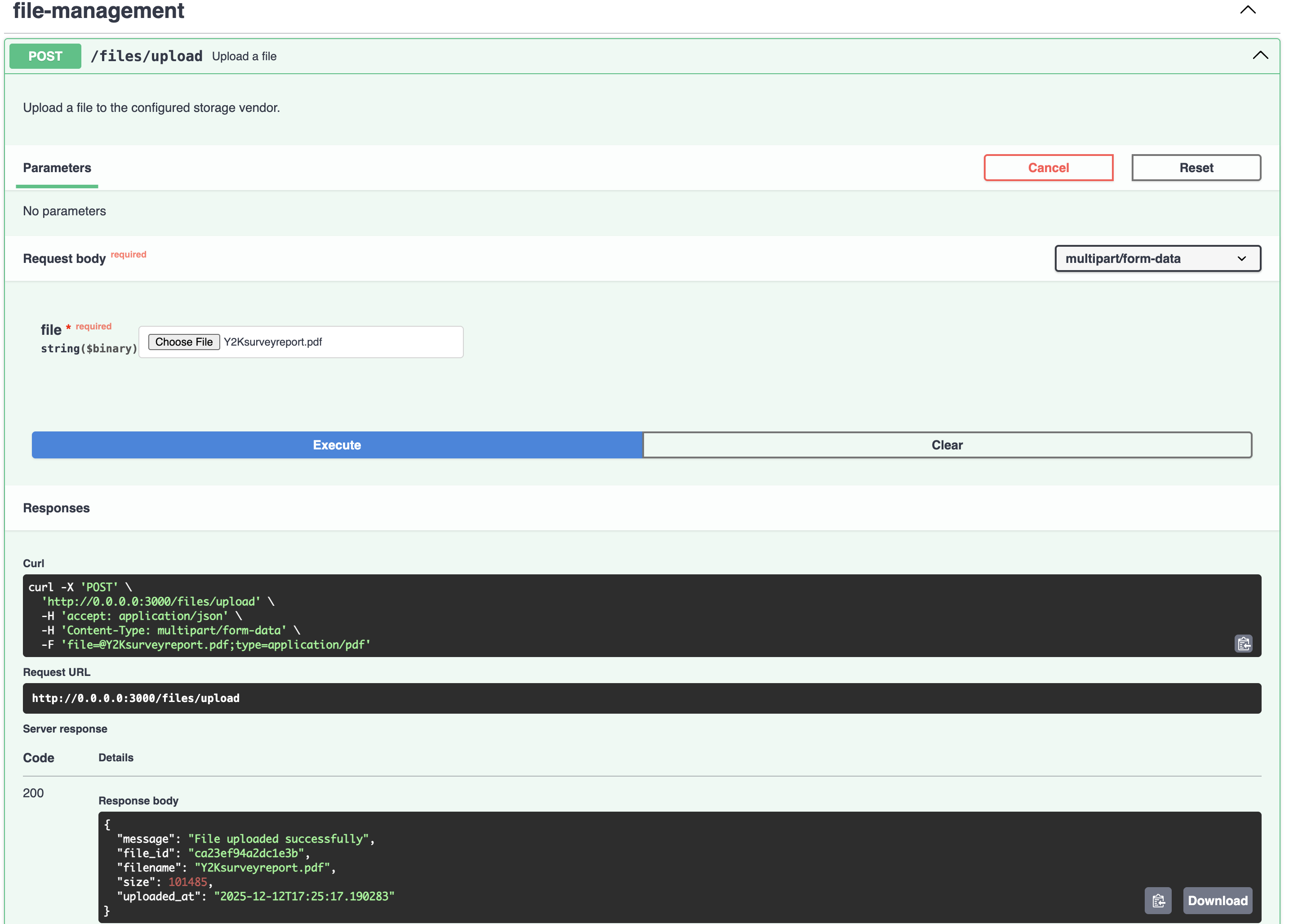
POST /upload returns 200 uploaded a file and produce metadata.
GET /chunk/:strategy/file/:id returns the chunks given the strategy and file id.File Vendor Management Strategy
Handling files is a critical part of any RAG pipeline. We need to store uploaded documents securely and retrieve them efficiently for processing. To make our backend adaptable, we implemented a Strategy Pattern for file storage (IManagementVendor).
Currently, we use a LocalManagementVendor that stores files on the local filesystem. This is perfect for development and keeps setup simple. However, because we use an interface-based design, replacing this with an S3ManagementVendor or AzureBlobStorageVendor in the future is as simple as adding a new class and updating one line of configuration.
class LocalManagementVendor(IManagementVendor): def upload(self, file: BinaryIO, filename: str) -> dict: """Upload a file to local storage with hash-based naming.""" # ... logic to save file locally ... return metadata
def get_file(self, file_id: str) -> Optional[bytes]: """Retrieve file content by ID.""" # ... logic to read file from disk ...Implementing the REST Controllers
Following our Clean Architecture approach, the REST controllers are thin layers responsible only for handling HTTP requests and delegating business logic to the core controllers.
File Management Controller
Handles file uploads and uses the FileManagementController to store files securely.
class FileManagementRestController: def __init__(self) -> None: self.file_management_controller = container.file_management_controller() self.router = APIRouter(prefix="/files", tags=["files"]) self._setup_routes()
async def upload_file(self, file: UploadFile = File(...)) -> dict: """Upload a file to the server.""" try: file_bytes = await file.read() file_id = self.file_management_controller.save_file( file.filename, file_bytes ) return {"file_id": file_id, "message": "File uploaded successfully"} except Exception as e: raise HTTPException(status_code=500, detail=str(e))Chunk Strategy Rest Controller
This rest controller exposes the chunking functionality. It accepts the strategy as a path parameter.
class ChunkStrategyRestController: def __init__(self) -> None: self.chunk_strategy_controller = container.chunk_strategy_controller() self.router = APIRouter(prefix="/chunk", tags=["chunking"]) self._setup_routes()
def _setup_routes(self) -> None: self.router.add_api_route( "/{strategy}/file/{file_id}", self.chunk_file, methods=["GET"], summary="Chunk file using specified strategy", )
async def chunk_file( self, strategy: ChunkStrategy = Path(..., description="Chunking strategy"), file_id: str = Path(..., description="File ID") ) -> dict: """Chunk a file using the specified strategy.""" try: return self.chunk_strategy_controller.chunk_file_with_strategy( file_id, strategy.value ) except ValueError as e: raise HTTPException(status_code=400, detail=str(e))Core Architecture: Service and Controller Pattern
We are adhering to Clean Architecture principles to ensure our core logic remains independent of frameworks and external tools. The chunking feature is divided into three distinct layers:
- Strategy Implementations - Individual chunking algorithms (
VanillaChunkStrategy,LangchainChunkStrategy,ChonkieChunkStrategy) - ChunkStrategyService - Manages strategy selection and execution
- ChunkStrategyController - Orchestrates file retrieval, text extraction, and chunking
ChunkStrategyService: Strategy Selection Layer
The ChunkStrategyService implements the Strategy Pattern to allow runtime selection of chunking algorithms. All strategy instances are created once as singletons in the __strategies dictionary, avoiding repeated instantiation.
class ChunkStrategyService: __strategies: dict[str, Type[IChunkStrategy]] = { ChunkStrategy.VANILLA: VanillaChunkStrategy(), ChunkStrategy.LANGCHAIN: LangchainChunkStrategy(), ChunkStrategy.CHONKIE: ChonkieChunkStrategy(), }
def chunk(self, strategy_type: ChunkStrategy, content: str) -> list[str]: strategy_class = self.__get_strategy_class(strategy_type) return strategy_class.chunk(content)
def __get_strategy_class(self, strategy_type: ChunkStrategy) -> Type[IChunkStrategy]: strategy_class = self.__strategies.get(strategy_type) if not strategy_class: valid_strategies = ", ".join([s.value for s in ChunkStrategy]) raise ValueError( f"Unsupported chunk strategy: {strategy_type}. " f"Valid options: {valid_strategies}" ) return strategy_classThe service validates the requested strategy and provides clear error messages when an invalid strategy is requested.
ChunkStrategyController: Orchestration Layer
The ChunkStrategyController coordinates the entire chunking workflow. It depends on both ChunkStrategyService for chunking logic and FileManagementService for file operations. This separation of concerns keeps each component focused on a single responsibility.
class ChunkStrategyController: def __init__( self, chunk_strategy_service: ChunkStrategyService, file_management_service: FileManagementService ): self.chunk_strategy_service = chunk_strategy_service self.file_management_service = file_management_service
def chunk_file_with_strategy(self, file_id: str, strategy: ChunkStrategy) -> dict: # 1. Retrieve file bytes file_bytes = self.file_management_service.get_file(file_id) if not file_bytes: raise ValueError(f"File not found: {file_id}")
# 2. Extract text from PDF text = self.__extract_text_from_pdf(file_bytes)
# 3. Apply chunking strategy chunks = self.chunk_strategy_service.chunk(strategy, text)
# 4. Return structured response file_info = self.file_management_service.get_info(file_id) return { "file_id": file_id, "filename": file_info.get("original_filename") if file_info else "unknown", "strategy": strategy, "chunk_size": config.get("CHUNK_SIZE"), "total_chunks": len(chunks), "chunks": chunks }
def __extract_text_from_pdf(self, file_bytes: bytes) -> str: """Extract text content from PDF bytes.""" reader = PdfReader(BytesIO(file_bytes)) text = "" for page in reader.pages: text += page.extract_text() return textThe workflow is straightforward: retrieve file → extract text → chunk → return results. PDF extraction is handled internally using pypdf, keeping the implementation detail isolated from the public interface.
Dependency Injection
As explained in our Dependency Injection article, we use dependency-injector to manage dependencies. Services are registered as singletons, while controllers are factories.
class Container(containers.DeclarativeContainer): file_management_service = providers.Singleton(FileManagementService) file_management_controller = providers.Factory( FileManagementController, file_management_service=file_management_service )
chunk_strategy_service = providers.Singleton(ChunkStrategyService) chunk_strategy_controller = providers.Factory( ChunkStrategyController, chunk_strategy_service=chunk_strategy_service, file_management_service=file_management_service )This setup ensures proper dependency management and makes testing straightforward through dependency substitution.
Strategy Interface Design
Before implementing specific chunking strategies, we define a common interface that all strategies must follow. This contract-driven approach ensures consistency and enables the Strategy Pattern to work effectively.
IChunkStrategy Interface
class IChunkStrategy(ABC): @abstractmethod def chunk(self, content: str) -> list[str]: """Chunk text content into a list of text chunks.""" passEvery strategy implements this single method, taking a string and returning a list of chunks. This simplicity makes strategies easy to test and swap.
ChunkStrategy Enum
To ensure type safety and provide auto-completion in IDEs and Swagger UI, we define an enum for available strategies:
class ChunkStrategy(StrEnum): VANILLA = auto() LANGCHAIN = auto() CHONKIE = auto()Using StrEnum automatically generates string values ("vanilla", "langchain", "chonkie") from the enum names, making the API clean while maintaining type safety.
Implementing the Vanilla Strategy
The Vanilla strategy is the simplest form of chunking. It splits the text into fixed-size chunks based on character count. Ideally for very simple use cases where context preservation is not critical.
class VanillaChunkStrategy(IChunkStrategy): def __init__(self): self.chunk_size = config.get("CHUNK_SIZE")
def chunk(self, content: str) -> list[str]: """Chunk text into fixed-size chunks by character count.""" return [content[i:i + self.chunk_size] for i in range(0, len(content), self.chunk_size)]Implementing LangChain Recursive Strategy
LangChain offers robust text splitting capabilities. We use RecursiveCharacterTextSplitter, which attempts to split text at specific characters (like newlines) to keep paragraphs and sentences together. We also introduce chunk_overlap to maintain context between chunks.
class LangchainChunkStrategy(IChunkStrategy): def __init__(self): self.text_splitter = RecursiveCharacterTextSplitter( chunk_size=config.get("CHUNK_SIZE"), chunk_overlap=config.get("CHUNK_OVERLAP"), add_start_index=True )
def chunk(self, content: str) -> list[str]: chunks = self.text_splitter.create_documents([content]) return [chunk.page_content for chunk in chunks]Implementing Semantic Chunking with Chonkie
Chonkie is a lightweight library for semantic chunking. Unlike size-based splitting, it uses an embedding model to measure semantic similarity between sentences, grouping related text together. This results in more meaningful chunks that are better suited for RAG applications.
We configured it to use a local embedding model (minishlab/potion-base-32M), ensuring privacy and speed without external API dependencies like OpenAI, Gemini or Claude.
class ChonkieChunkStrategy(IChunkStrategy): def __init__(self): self.chunker = SemanticChunker( embedding_model=config.get("EMBEDDING_MODEL"), threshold=0.8, chunk_size=config.get("CHUNK_SIZE"), skip_window=1 )
def chunk(self, content: str) -> list[str]: chunks = self.chunker.chunk(content) return [chunk.text for chunk in chunks]Testing the Chunking Strategies
Let’s run the project and test the chunking strategies.
make dev
INFO: Uvicorn running on http://0.0.0.0:3000 (Press CTRL+C to quit)INFO: Started reloader process [17557] using WatchFilesGo to Swagger Local Page and lets start by upload the pdf file.
Select the Y2Ksurveyreport file and click Execute button. You should see a response like this:
Testing the Vanilla Strategy
Copy the file_id value, select the vanilla strategy (in the strategy dropdown) and go to the chunking endpoints, paste the file_id value and click Execute button. You should see a response like this:
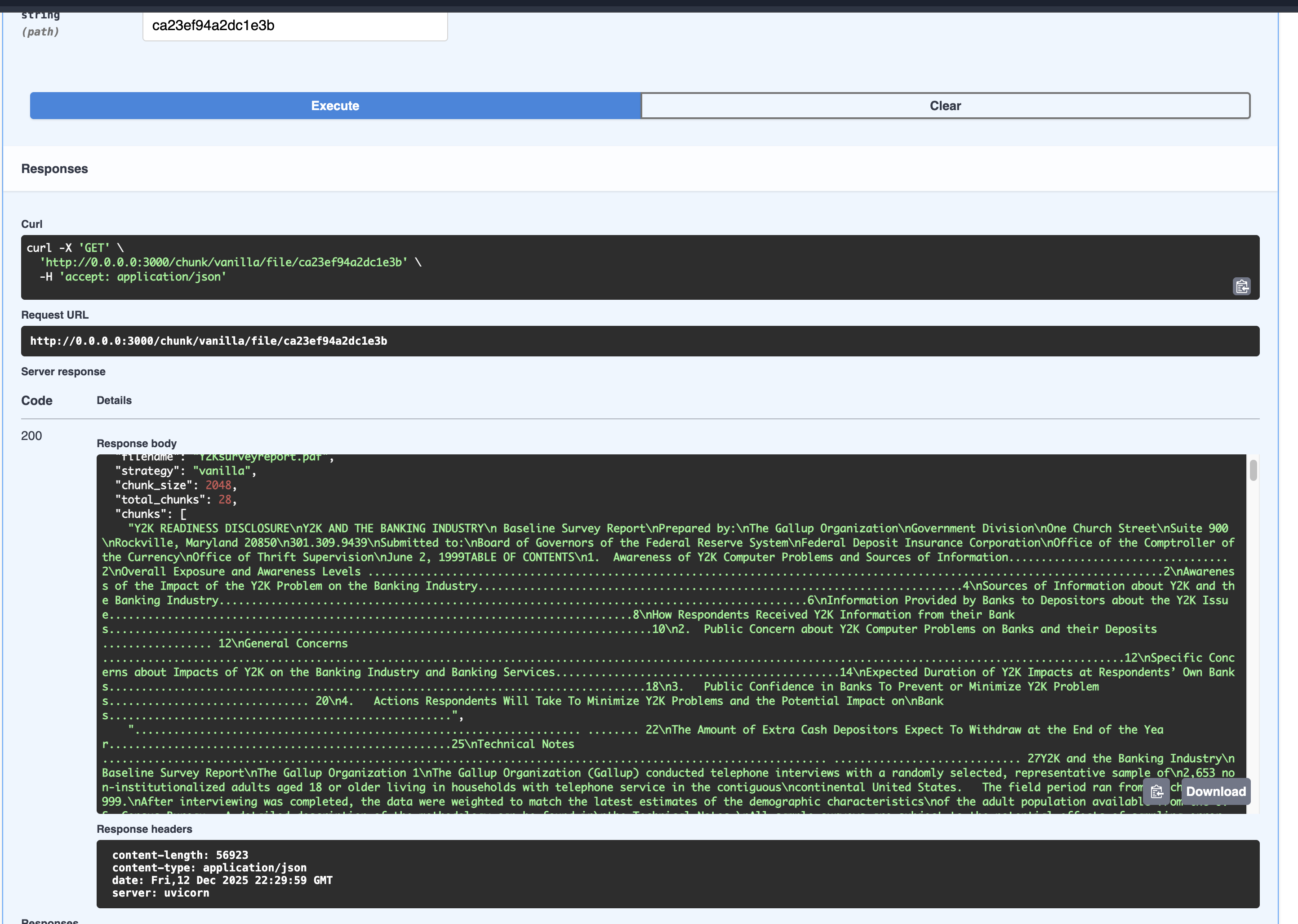
As you can see, the vanilla strategy does not have mistery, it just splits a text that previously was a pdf file into chunks of text.
Testing the LangChain Strategy
In the strategy dropdown select the langchain strategy, execute the chunking endpoint and you should see a response like this:
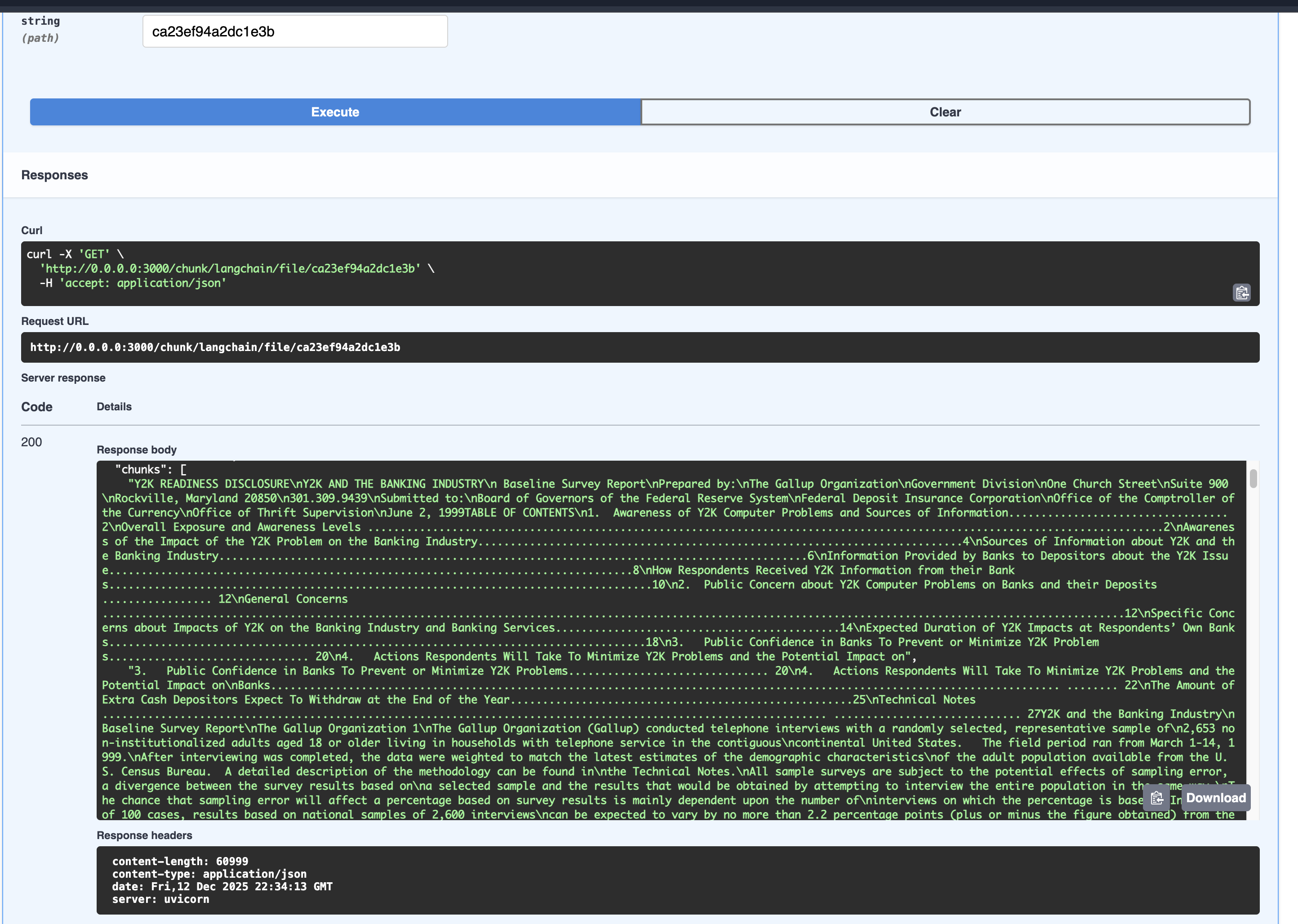
The chunking are better than the vanilla strategy, it splits the text into chunks with a overlap of 100 characters that are more meaningful and contextually relevant than just cut by size.
Testing the Chonkie Strategy
In the strategy dropdown select the chonkie strategy, execute the chunking endpoint and you should see a response like this:
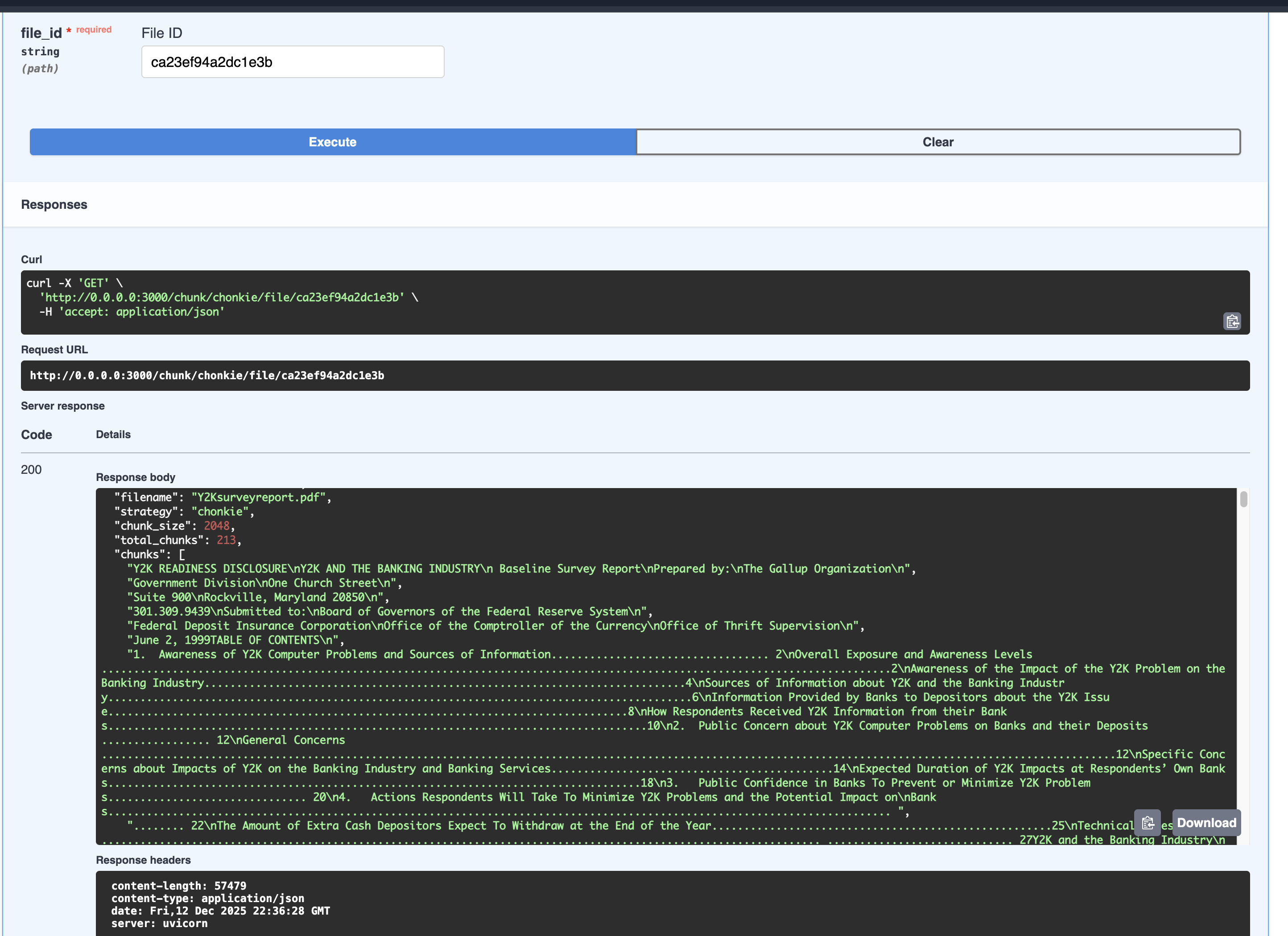
The chonkie strategy uses semantic chunking to split based in math and calculations that detect variation in the text to create the chunk, the chunks are significant better now, althougth it contains a lot of dots or other non relavant chars we can do a better work later to clean text and don’t lose any information or worst, add incorrect data.
Conclusion
At this stage of the project we have a working chunking system that can be used to split text into chunks of text that can be used in the RAG system. We have three strategies that can be used to split text into chunks, vanilla, langchain and chonkie. This process set the foundation for the RAG systems and Context Engineering.